Asia/Karachi
BlogOctober 24, 2026

Laravel POS System: What a Retail Business Needs

Modules, trade-offs and the stock bugs a developer has to prevent
Fawaz Israr
Laravel POS System: What a Retail Business Needs
A Laravel POS system for a retail shop is a web application that handles the sale at the counter, keeps stock counts honest and gives the owner reports without a spreadsheet. Whether you should build one or buy one depends on how unusual your shop's workflow is. If a ready-made product fits your way of working, use it. If you keep bending your business around the software, custom POS software development starts to make sense. I am a full stack developer, and I developed a Laravel POS software that is running in the market today. This article covers what a point of sale system needs to do, how the build-or-buy choice looks from a shop owner's side, and which problems a developer has to prevent before the first customer is served. A point of sale system does a small number of jobs all day, and it has to do each of them quickly and correctly. A cashier scans or searches for items, the system totals the bill, takes the payment, prints a receipt and reduces the stock. Behind the counter, the owner expects to see what sold, what is running low and how much cash should be in the drawer. Speed matters because a queue of customers will not wait for a slow screen. The sales screen has to work with a barcode scanner (many scanners behave like a keyboard that types the code and presses Enter) and with a few keystrokes for items that have no barcode. Accuracy matters just as much, since every number on the owner's reports comes from what the cashier records at the counter. The exact list changes from shop to shop, but a retail POS usually needs these modules:
  • Sales screen: search, scan, quantities, hold and resume a bill, returns and exchanges.
  • Products and barcodes: names, categories, prices, units, and a code for each item that the scanner can read.
  • Stock levels: the current quantity per product, plus a record of every movement (sale, purchase, adjustment, return).
  • Purchases and suppliers: receiving goods against a supplier, updating stock and cost price, tracking what you owe.
  • Customers: optional records for regulars, credit accounts or loyalty, and a purchase history.
  • Discounts: per item, per bill, or by rule, with a limit on what a cashier may give without approval.
  • Receipts and printing: a layout that fits your thermal printer, with a reprint option.
  • Reports: daily sales, profit by product, low stock, cash in and out.
  • Staff accounts with roles: a cashier, a manager and an owner should not see or change the same things.
  • Multiple branches: stock and sales per branch, with the owner seeing all of them.
You do not need all ten on day one. A single-counter shop can start with the first six and add branches later, provided the database was designed with branches in mind. Adding a branch column to every table after a year of live data is painful. Neither is better in general. They carry different risks. A ready-made POS works soon, and the vendor handles support and updates. The cost is that you adopt their workflow. If your shop sells by weight and by piece, runs credit accounts for regular customers, or needs a report in a format your accountant asks for, you may hit the limits of what the product lets you change. You also depend on the vendor's pricing and support. Custom software fits your process, and you own the code and the data. The costs are real: it takes longer to start, you need a developer who will still be reachable after launch, and bugs in your own system are yours to get fixed. A custom build also tends to cost more up front. The guide to website development cost in Pakistan explains why a quote depends on scope, and the same reasoning applies to software like this. A rough way to decide: if a demo of a ready-made product matches your shop's day as you would describe it in a paragraph, buy it. If you need a list of exceptions, ask a developer for a quote and compare it with the cost of the workarounds.
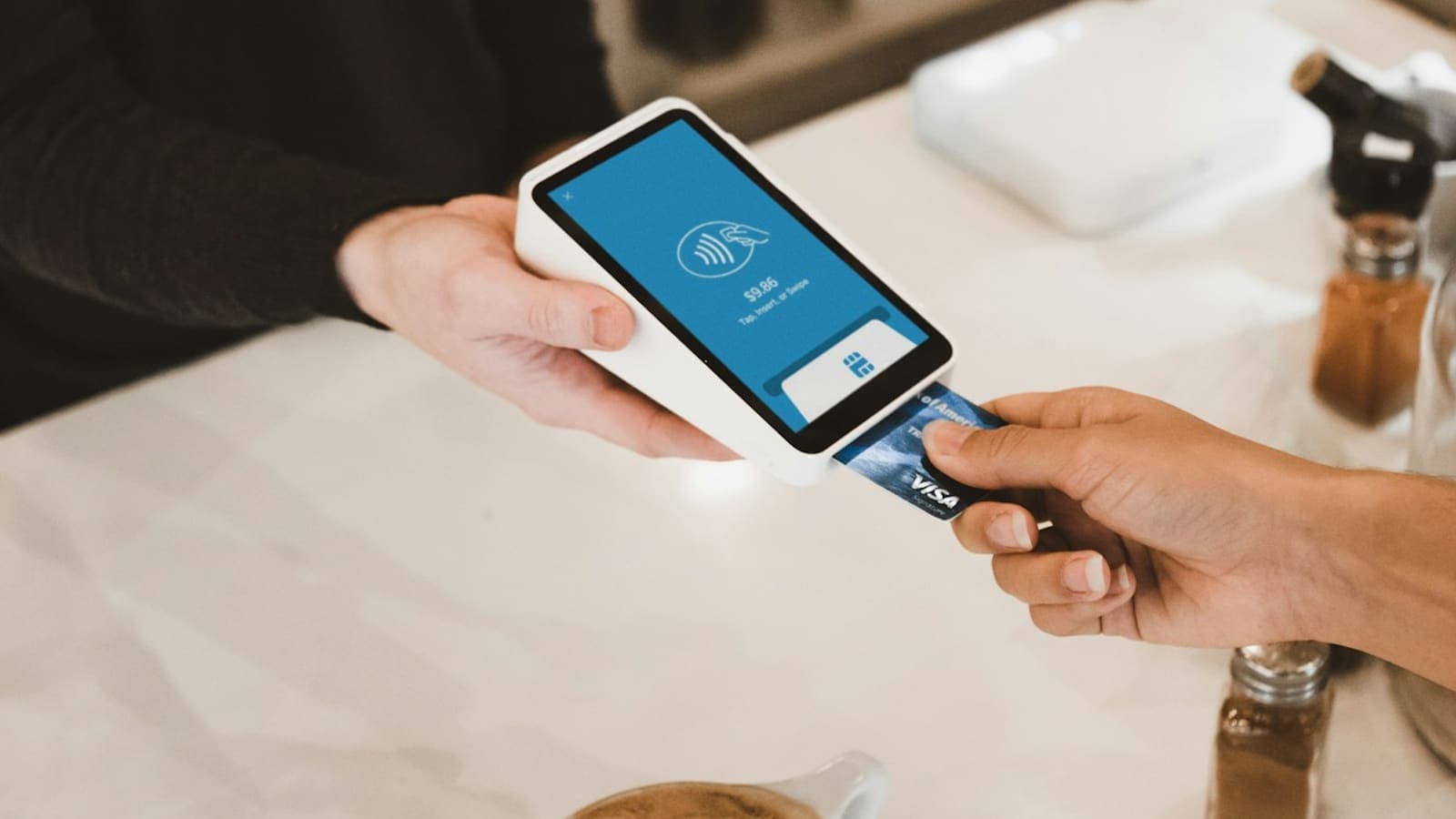
A hand holding a card payment terminal while a customer inserts a bank card
Laravel is a PHP framework that covers most of what a POS back end needs. The code below targets Laravel 11 or 12 on PHP 8.2 or newer.
  • Authentication and authorization are built in, which gives you logins, password hashing and a way to express "only a manager may void a sale". The role-based access control article covers the same idea in a Next.js setting.
  • Validation rules sit next to the request, so a quantity of minus five or a missing product never reaches the database.
  • Migrations keep the database structure in version control, so a new branch or a changed column can be rolled out the same way on every machine. The migration documentation shows the full column list.
  • Eloquent, the built-in ORM, makes relations such as sale to sale items to product readable.
  • Packages for PDF receipts, barcode generation and Excel exports already exist.
A POS can also be built well in Node.js or Spring Boot, and the article on MERN vs Next.js vs Spring Boot compares those stacks. Laravel is a sensible pick when the work is mostly forms, records, reports and rules, which describes a POS fairly well. Start with the money. Store every amount as an integer in the smallest unit (paisa, cents) so that totals and discounts never suffer from floating point rounding. The Prisma schema article explains the same habit, and why the price is copied onto each order line. The migration below follows that approach for products, sales and sale items. It references the users table, so it has to run after the default users migration.
Php
<?php

use Illuminate\Database\Migrations\Migration;
use Illuminate\Database\Schema\Blueprint;
use Illuminate\Support\Facades\Schema;

return new class extends Migration
{
    public function up(): void
    {
        Schema::create('products', function (Blueprint $table) {
            $table->id();
            $table->string('sku')->unique();
            $table->string('barcode')->nullable()->unique();
            $table->string('name');
            $table->unsignedInteger('price_minor');
            $table->unsignedInteger('cost_minor')->default(0);
            // Unsigned: MySQL rejects a negative value here as a second safety net.
            $table->unsignedInteger('stock_quantity')->default(0);
            $table->unsignedInteger('reorder_level')->default(0);
            $table->boolean('is_active')->default(true);
            $table->timestamps();
        });

        Schema::create('sales', function (Blueprint $table) {
            $table->id();
            // Generated by the sales screen when the bill is opened. The unique index rejects a duplicate.
            $table->string('reference')->unique();
            $table->foreignId('user_id')->constrained();
            $table->unsignedBigInteger('total_minor');
            $table->timestamps();
        });

        Schema::create('sale_items', function (Blueprint $table) {
            $table->id();
            $table->foreignId('sale_id')->constrained()->cascadeOnDelete();
            $table->foreignId('product_id')->constrained()->restrictOnDelete();
            $table->unsignedInteger('quantity');
            // Price copied at the time of sale, so later price changes do not rewrite history.
            $table->unsignedInteger('unit_price_minor');
            $table->unsignedBigInteger('line_total_minor');
            $table->timestamps();
        });
    }

    public function down(): void
    {
        Schema::dropIfExists('sale_items');
        Schema::dropIfExists('sales');
        Schema::dropIfExists('products');
    }
};
Recording the sale is the part that deserves care. Everything must succeed together or not at all, and stock must never go below zero even when two cashiers sell the last item at the same moment. The service method below wraps the work in DB::transaction (see the transaction documentation) and decrements stock with a conditional update.
Php
<?php

namespace App\Services;

use App\Models\Product;
use App\Models\Sale;
use Illuminate\Support\Facades\DB;
use RuntimeException;

class SaleService
{
    /**
     * @param  array<int, array{product_id: int, quantity: int}>  $lines
     *         Already validated, with duplicate products merged and quantities above zero.
     */
    public function record(int $cashierId, string $reference, array $lines): Sale
    {
        return DB::transaction(function () use ($cashierId, $reference, $lines) {
            // A retry after a dropped connection returns the sale that was already saved.
            if ($existing = Sale::where('reference', $reference)->first()) {
                return $existing;
            }

            $sale = Sale::create([
                'reference' => $reference,
                'user_id' => $cashierId,
                'total_minor' => 0,
            ]);

            // Same order every time, so two sales locking rows cannot deadlock each other.
            usort($lines, fn ($a, $b) => $a['product_id'] <=> $b['product_id']);

            $total = 0;

            foreach ($lines as $line) {
                $qty = $line['quantity'];
                $product = Product::where('is_active', true)->findOrFail($line['product_id']);

                // Returns the number of rows changed: 0 if stock is too low at this moment.
                $updated = Product::whereKey($product->id)
                    ->where('stock_quantity', '>=', $qty)
                    ->decrement('stock_quantity', $qty);

                if ($updated === 0) {
                    throw new RuntimeException("Not enough stock for {$product->name}.");
                }

                $lineTotal = $product->price_minor * $qty;

                $sale->items()->create([
                    'product_id' => $product->id,
                    'quantity' => $qty,
                    'unit_price_minor' => $product->price_minor,
                    'line_total_minor' => $lineTotal,
                ]);

                $total += $lineTotal;
            }

            $sale->update(['total_minor' => $total]);

            return $sale;
        });
    }
}
The important line is the where('stock_quantity', '>=', $qty) inside the update. The database checks and subtracts in one statement, and decrement returns the number of rows it changed. If a second cashier's update finds too little stock, it changes zero rows, the code throws, and the transaction rolls back the whole sale before the exception reaches your controller. Reading the stock into PHP, checking it there and saving it back would let both cashiers pass the check. The create and update calls above use mass assignment, so the models must list their fillable fields, and Sale needs the items() relation. The sale_id column is not fillable because the relation fills it in.
Php
// app/Models/Sale.php (namespace App\Models)
use Illuminate\Database\Eloquent\Model;
use Illuminate\Database\Eloquent\Relations\HasMany;

class Sale extends Model
{
    protected $fillable = ['reference', 'user_id', 'total_minor'];

    public function items(): HasMany
    {
        return $this->hasMany(SaleItem::class);
    }
}

// app/Models/SaleItem.php (namespace App\Models)
class SaleItem extends Model
{
    protected $fillable = ['product_id', 'quantity', 'unit_price_minor', 'line_total_minor'];
}
If your shop also sells online, the e-commerce website development guide covers that side. My final year project, GoCart, is an AI-powered multi-vendor e-commerce platform. These are ordinary situations, and each has a known fix that is easier to build in than to add later. Stock going negative usually means the sale logic and the stock logic are separate steps. The conditional update above fixes it for the sales screen, and when two cashiers sell the last item, one of them gets a clear "not enough stock" message instead of a silent oversell. A stock adjustment screen should require a reason and a manager role. After a power cut, save the sale first and print second, so the record exists even if the printer does not, and let a reprint button cover the missing receipt. When the connection drops and the cashier presses Pay again, the unique reference in the code makes the second attempt harmless. No audit trail means nobody can explain why the stock is wrong or who gave a discount. Record who did what and when for voids, returns, price changes and stock adjustments, and never let those entries be edited from the normal screens. If the internet drops at the shop, can it keep selling? Ask early, because an offline requirement changes the architecture. Many shops keep their products in an Excel sheet or a notebook. A developer can import a cleaned sheet with a validation step that reports bad rows (duplicate barcodes, empty prices, text where a number should be) instead of loading them silently. Cleaning the data is a job of its own. Agree on one name per product, one unit, and a starting stock count taken by an actual stocktake, not copied from an old file. For rollout, run the new system alongside the old method for a few days with the owner checking the totals each evening. Train cashiers on the real screen with practice sales, and write a one-page guide for a return, a price override, a voided bill and a printer jam. Start with one counter or one branch, then continue. Backups come first. Automate a daily database backup, keep copies somewhere other than the server that runs the system, and test a restore at least once, because a backup you have never restored is an assumption. If the shop could not afford to lose a full day of sales, back up more often. For security, give each person their own login and never share one cashier account. Use roles so a cashier cannot open reports or change prices. Keep the application and its dependencies updated, serve it over HTTPS, and keep secrets out of the repository. The OWASP Top 10 is a useful reference when you review what a developer has done. If you take card payments, check what your payment provider or bank requires before building anything, since the rules differ by country. I am a full stack developer based in Rahim Yar Khan, Pakistan, a final-year Computer Science student, and I work in web development at Hadi Dev Lab. If you are weighing a custom POS for your shop, you can message me on WhatsApp or email with a short description of your counter, your stock and your branches. You can read more about me, see my work, or read the guide to hiring a full stack developer first. Cover photo from Unsplash.
Share this post: