
Asia/Karachi
BlogNovember 14, 2026

next-sitemap vs sitemap.ts in the Next.js App Router

Which one to use, how to set each up, and the mistakes to avoid
Fawaz Israr
next-sitemap vs sitemap.ts in the Next.js App Router
For most Next.js App Router sites, use the built-in app/sitemap.ts file. It needs no extra package, it runs inside your app so it can read the same data your pages use, and it pairs with app/robots.ts for the Sitemap line. The next-sitemap package still makes sense when you want sitemap files generated after the build, with automatic splitting and a robots.txt written for you, and some existing projects already depend on it. I checked the details below against the official docs in November 2026. The Next.js documentation for the sitemap file convention was last updated in August 2026, the latest Next.js release on npm was 16.4.6, and the latest next-sitemap release was 4.2.3. This portfolio uses the built-in sitemap.ts, so the first code sample is close to what runs here. For the wider picture of metadata, canonicals and robots, my technical SEO guide for Next.js covers the whole stack, and this post goes deeper on the sitemap choice only. A sitemap is a file that lists the URLs you want search engines to know about. Google describes it as a way to tell crawlers which pages and files you consider important, and it helps most on large sites, new sites with few incoming links, and sites with a lot of media. Google also says sites of around 500 pages or fewer that are well linked internally may not need one at all. It is a hint for discovery. Google's documentation says submitting a sitemap is merely a hint, and that listing a URL does not guarantee it will be crawled or indexed. A page can sit in your sitemap and still be left out of the index because it is thin, duplicated, blocked or just not judged worth showing. A few format facts are worth knowing. A single sitemap file is limited to 50,000 URLs or 50 MB uncompressed, whichever you hit first, and past that you split into several files and list them in a sitemap index. URLs must be fully qualified and absolute, and the file must be UTF-8. The lastmod value should reflect the last significant update to the page, and Google says it uses lastmod only when it is accurate. Google ignores priority and changefreq, so you can leave those out even though the Next.js type allows them. Put a sitemap.ts file in the root of the app directory and export a default function that returns an array of entries. Next.js serves the result at /sitemap.xml. The function can be async, so it can read from your database, a CMS or the file system. The return type is MetadataRoute.Sitemap, and each entry takes a url and optionally lastModified, changeFrequency, priority, alternates, images and videos. Here is a version with a data source, written the way I would for a blog. The getAllPosts helper is a placeholder for whatever loads your content.
Ts
// app/sitemap.ts
import type { MetadataRoute } from "next";
import { getAllPosts } from "@/lib/posts";

const baseUrl = "https://example.com";

export default async function sitemap(): Promise<MetadataRoute.Sitemap> {
  const posts = await getAllPosts();

  const pages: MetadataRoute.Sitemap = [
    { url: baseUrl },
    { url: `${baseUrl}/about` },
    { url: `${baseUrl}/blog` },
  ];

  const postEntries: MetadataRoute.Sitemap = posts.map((post) => ({
    url: `${baseUrl}/blog/${post.slug}`,
    lastModified: post.updatedAt ?? post.publishedAt,
  }));

  return [...pages, ...postEntries];
}
Next.js documents sitemap.js as a special Route Handler that is cached by default unless it uses a request-time API or a dynamic config option. In practice, when your data comes from files or a build-time source, a redeploy refreshes the sitemap. If your data lives in a database that changes between deploys, read the caching section of the docs for your Next.js version and test that a new row actually shows up. The alternates.languages field adds hreflang links for localized pages, and images adds image entries. Both are described in the same docs page, so you do not need a plugin for them.
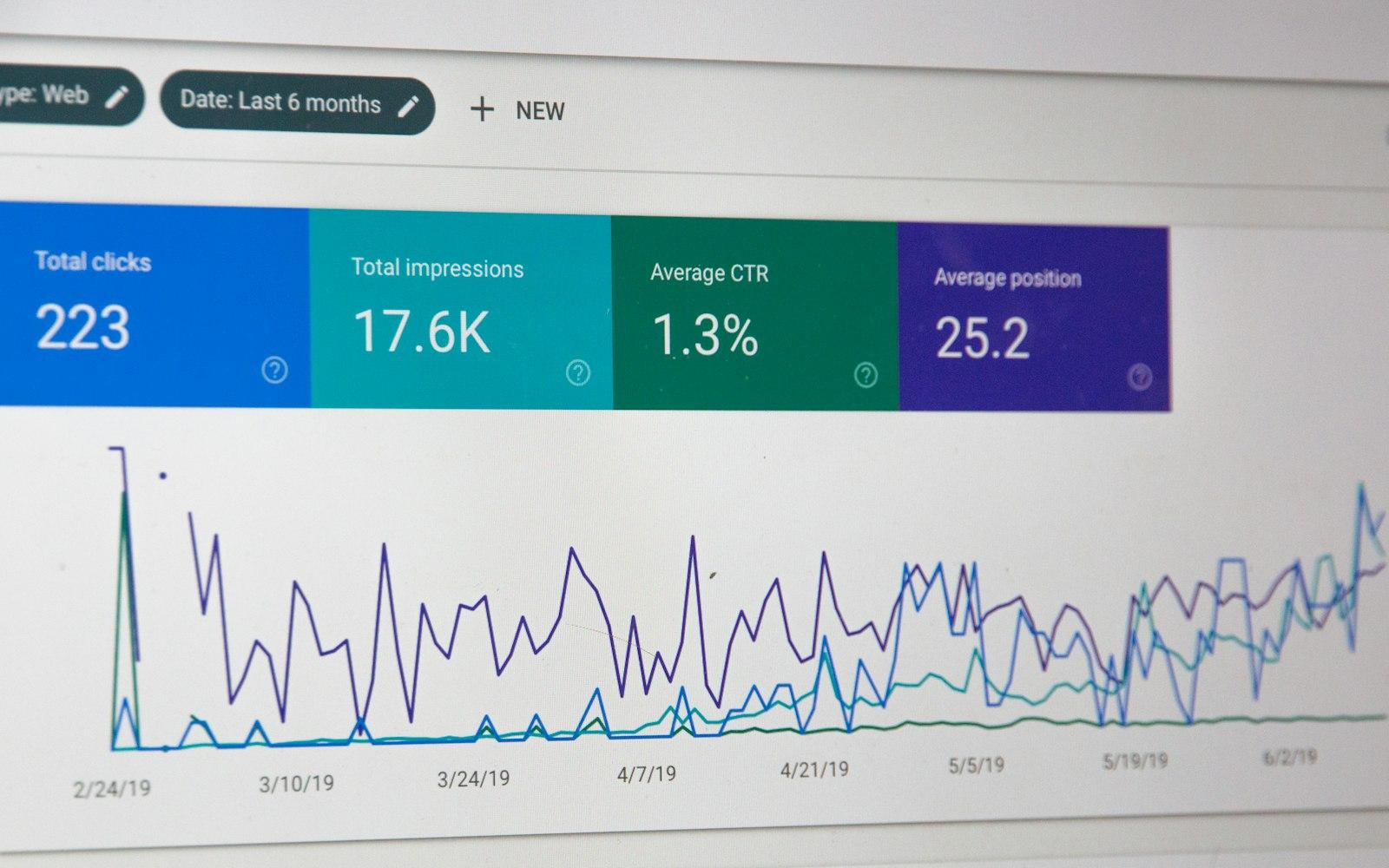
A Search Console performance report on a laptop screen showing total clicks, impressions, average click-through rate and average position above a line chart
If one file would pass 50,000 URLs, export a generateSitemaps function from the same file. It returns an array of objects with an id, and Next.js calls your default function once per id. The generated files are served at paths like /product/sitemap/1.xml, as in the docs example for a product segment. Since Next.js 16 the id is passed to your function as a Promise that resolves to a string, so await it and convert it to a number before doing arithmetic.
Ts
// app/product/sitemap.ts
import type { MetadataRoute } from "next";
import { countProducts, getProductsPage } from "@/lib/products";

const baseUrl = "https://example.com";
const PER_FILE = 50000;

export async function generateSitemaps() {
  const total = await countProducts();
  const files = Math.ceil(total / PER_FILE);
  return Array.from({ length: files }, (_, id) => ({ id }));
}

export default async function sitemap(props: {
  id: Promise<string>;
}): Promise<MetadataRoute.Sitemap> {
  const id = Number(await props.id);
  const products = await getProductsPage(id * PER_FILE, PER_FILE);

  return products.map((product) => ({
    url: `${baseUrl}/product/${product.slug}`,
    lastModified: product.updatedAt,
  }));
}
Two cautions. The Next.js docs for this API do not describe an index file being generated for you, so if you split, also make sure each part is submitted, either through a hand-written index or by listing every file in robots.ts. And most sites never reach 50,000 URLs, so do not reach for this early. next-sitemap is a separate package that runs after the build. You add a postbuild script that calls next-sitemap, and it reads the build output and writes real files, by default into the public folder. Its README lists a next-sitemap.config.js file in the project root with options such as siteUrl, generateRobotsTxt, exclude, additionalPaths, transform and sitemapSize.
Bash
npm install next-sitemap
Json
{
  "scripts": {
    "build": "next build",
    "postbuild": "next-sitemap"
  }
}
Js
// next-sitemap.config.js
/** @type {import('next-sitemap').IConfig} */
module.exports = {
  siteUrl: process.env.SITE_URL || "https://example.com",
  generateRobotsTxt: true,
  exclude: ["/admin/*", "/thank-you"],
  sitemapSize: 5000,
};
A few behaviours from the README matter when you compare it with sitemap.ts. The default sitemapSize is 5000 URLs per file, and from version 2 onward sitemap.xml is an index that links to the numbered files, which you can switch off with generateIndexSitemap: false on small sites. autoLastmod is on by default, and the README's example transform function sets lastmod to the current time, so unless you return real dates every URL looks freshly modified after each build. The additionalPaths option lets you add URLs the build did not discover, such as pages from a database, and transform can drop or rewrite any path by returning null or a new entry. For dynamic sitemaps the README shows getServerSideSitemap inside an App Router route.ts, and it notes you should exclude that path from the static list and add its URL to robotsTxtOptions.additionalSitemaps, or it will not appear in robots.txt. Since the output is written at build time, it also needs a writable build step, and it depends on the package being maintained as Next.js changes. I could not find a statement in the README about how it tracks recent Next.js releases, so check the repository's issues before relying on it for something unusual. Pick sitemap.ts when you are on the App Router, your URLs come from data your app can already read, and you want one less dependency. You get typed entries, images and alternates, no generated files to keep out of version control, and a sitemap that can use the same slug-building function as your pages. That fits portfolios, marketing sites, blogs and most store catalogues. Pick next-sitemap when the project is already using it and works, when you want robots.txt and a split, indexed sitemap generated with almost no code, or when your site is on the Pages Router and has no app/sitemap.ts option. For a catalogue with hundreds of thousands of URLs, either tool can do the job. With sitemap.ts you write the splitting logic with generateSitemaps, and with next-sitemap you set sitemapSize and add database paths through additionalPaths. My own rule is simple: if I am starting a fresh App Router project, I use the built-in file and write robots.ts next to it. I would only add the package if I hit a requirement the built-in route cannot meet.
Ts
// app/robots.ts
import type { MetadataRoute } from "next";

export default function robots(): MetadataRoute.Robots {
  return {
    rules: [{ userAgent: "*", allow: "/", disallow: ["/api/", "/admin/"] }],
    sitemap: "https://example.com/sitemap.xml",
  };
}
The migration is small, and the order matters so you never serve two competing files.
  1. Add app/sitemap.ts and app/robots.ts and run the site locally. Open /sitemap.xml and /robots.txt and compare the URL list with your old generated file.
  2. Remove the postbuild script, delete next-sitemap.config.js and uninstall the package.
  3. Delete the old generated files from public, such as sitemap.xml, sitemap-0.xml and robots.txt. A leftover file at the same path as a route is a source of confusion, so do not leave it there. If these files were committed, remove them from git as well.
  4. Move your exclude rules into code (a filter on the URL list) and your robotsTxtOptions policies into the rules array of robots.ts.
  5. Deploy, request /sitemap.xml with curl, and submit it again in Search Console. If your old setup used an index with numbered files, remove the old sitemap-0.xml entries from the report, because those URLs will no longer exist.
Most sitemap problems come from the list being wrong, not from the tool that wrote it.
  • Relative URLs or the wrong host. Every entry must be a full URL on the host and protocol you want indexed. A staging domain or http:// left in an environment variable is the usual cause.
  • Listing URLs that redirect, return an error or carry noindex. A sitemap should contain only the final, indexable, 200 URLs.
  • Trailing-slash mismatches. If your pages live at /about and the sitemap says /about/, you are listing a URL that redirects.
  • Canonicals that disagree. The canonical tag on the page should match the sitemap entry. If they differ, Google may follow the canonical and ignore the listing.
  • A stale or fake lastmod. Setting every entry to the build time teaches crawlers to ignore the field. Use the real last content change, or leave it out.
  • Listing paginated, filtered or sorted duplicates, such as ?sort=price pages. List the clean category URL once.
  • Putting a Disallow rule on a URL you also want to be removed with noindex. Google cannot read a noindex tag on a page it is not allowed to fetch.
Start in the terminal, because it shows exactly what a crawler gets.
Bash
curl -sI https://example.com/sitemap.xml
curl -s https://example.com/sitemap.xml | head -n 20
curl -s https://example.com/robots.txt
You want a 200 status, an XML content type, absolute loc values and a Sitemap: line in robots.txt. Then open a few listed URLs and confirm each one returns 200 without redirecting. Next, submit the sitemap URL in the Sitemaps report in Google Search Console and read its status. The Page indexing report then shows which listed URLs are indexed and the reason for the ones that are not, such as "Crawled, currently not indexed" or "Duplicate, Google chose different canonical than user". For a single page, the URL Inspection tool shows the canonical Google selected and whether the URL appears in a sitemap. Give it days rather than minutes, and treat a gap between listed and indexed pages as a question about page quality and canonicals, not about the sitemap file. On this portfolio, src/app/sitemap.ts reads the blog posts and project pages from their MDX files, builds each URL from a single base URL setting, and adds the enabled top-level routes. The lastModified value for a post is its publish date trimmed to the calendar date, because a timestamp without a timezone is not a valid sitemap date. That means editing an old post does not change its lastModified, which is a limit I know about. The gallery route is left out while it has no photos. If you are launching a new site, my website launch checklist puts this check next to security and speed, and my on-page SEO checklist covers the content side. You can read more about me as well. For the official references, see the Next.js sitemap.xml file convention, Google's guide to building a sitemap and the next-sitemap README. I am Fawaz Israr, a full stack developer in Rahim Yar Khan, Pakistan, a final-year Computer Science student, and I work in web development at Hadi Dev Lab. If you have a Next.js site that needs a clean sitemap, robots file and indexing setup, you can message me on WhatsApp or email. You can also browse my work first. Cover photo from Unsplash.
Share this post: